

🔄 Managing Dataset Splits
This guide explains how to manage train/test/validation splits in your datasets at different stages of your workflow.1. Split Adjustment at Job → Dataset Transfer
When adding frames from a completed job to the dataset, you can configure how the new frames will be distributed: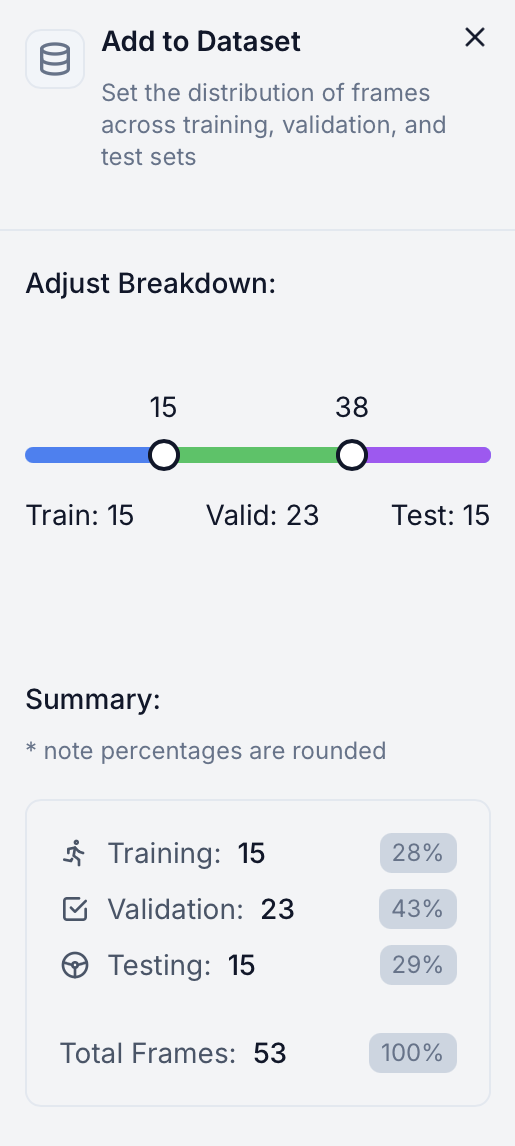
2. Dataset Page Split Management
View and manage your dataset splits directly in the dataset page header: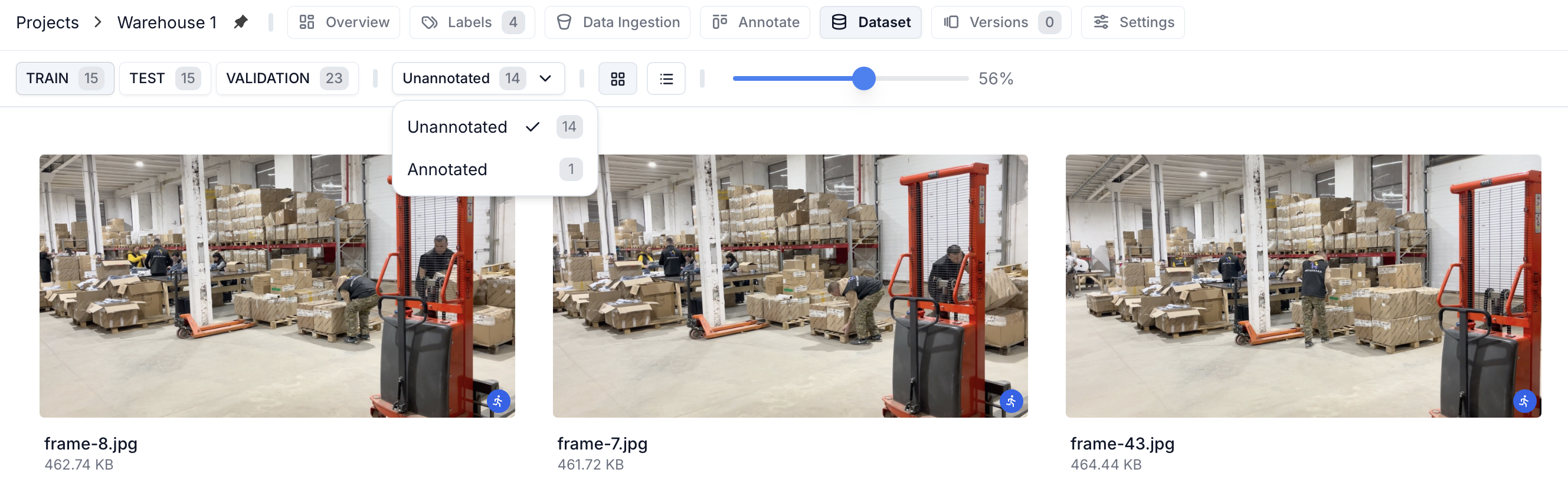
Split View
Filter and view frames based on their assigned split (Training/Testing/Validation). You can also filter by annotated/unannotated frames within each split.Split Reassignment
Select one or more frames and the “Reassign” button will appear, allowing you to move frames between splits as needed. This gives you fine-grained control over your dataset organization.3. Version-specific Splits
When creating a new version, you can define a new split ratio for the version using the slider in the create version panel: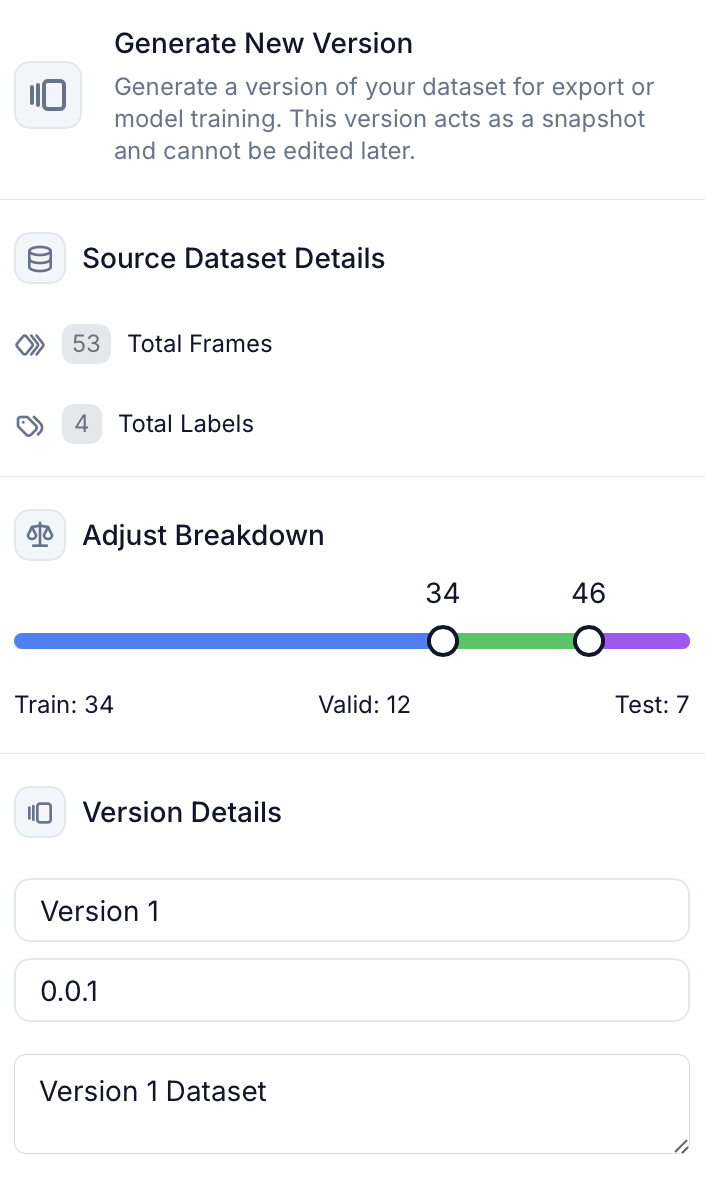
Split changes for versions don’t affect the main dataset’s split breakdown.