> ## Documentation Index
> Fetch the complete documentation index at: https://docs.useocular.com/llms.txt
> Use this file to discover all available pages before exploring further.
# Catalog
> Organize and centralize multimodal data
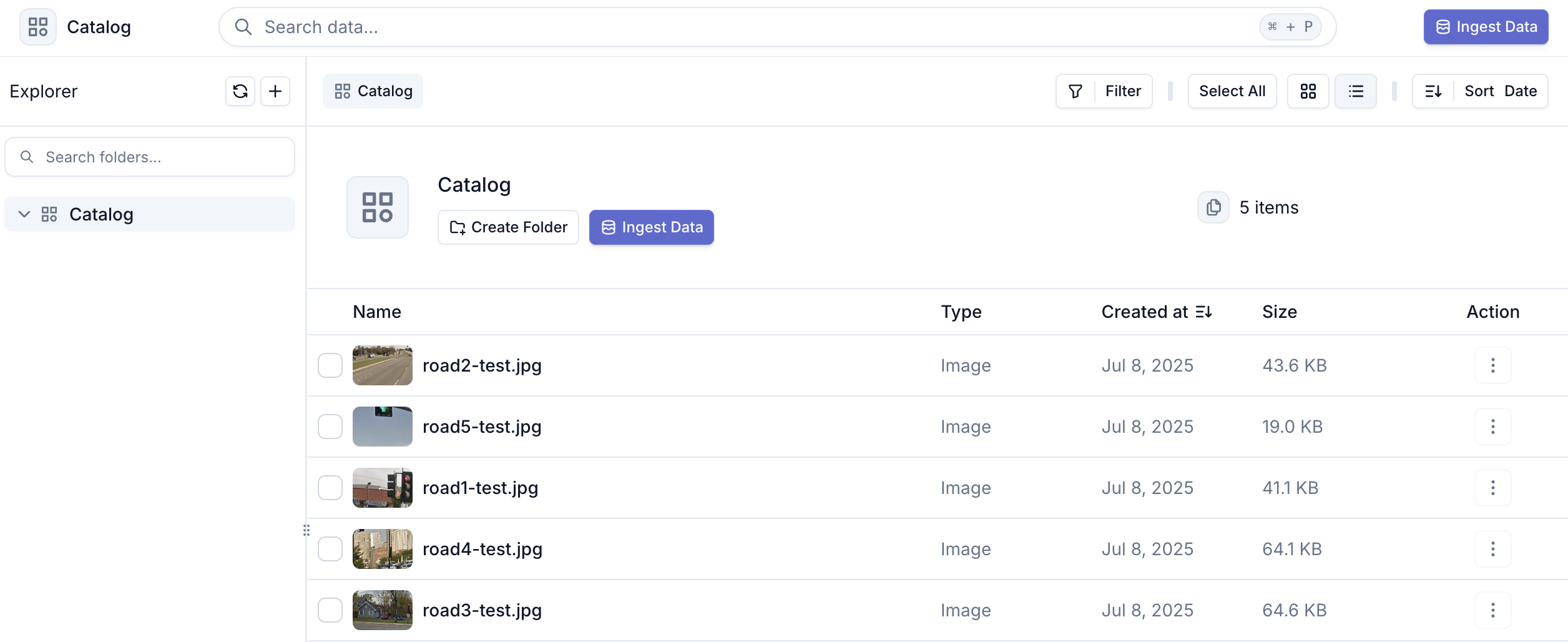
The Catalog is your central hub for organizing and managing all ingested data within Ocular AI. It serves as a unified repository where you can efficiently organize, search, and prepare your data for annotation projects.
 ## Data Organization
### Folder Structure
* Create custom folders to organize your data hierarchically
* Move files and folders freely to maintain logical grouping
* Support for nested folder structures to match your workflow
* Maintain clear data organization across multiple projects
### File Management
* View detailed file metadata and properties
* Preview images and videos directly in the interface
* Bulk operations for moving, copying, and organizing files
## Next Steps
While the Catalog centralizes your data storage, the real power comes from curating and organizing related content into meaningful groups. Check out these pages to learn how to effectively search and organize your data into Indexes:
* [Search and Curate Data](/curation/search/overview)
* [Create an Index](/curation/indexing/overview)
## Data Organization
### Folder Structure
* Create custom folders to organize your data hierarchically
* Move files and folders freely to maintain logical grouping
* Support for nested folder structures to match your workflow
* Maintain clear data organization across multiple projects
### File Management
* View detailed file metadata and properties
* Preview images and videos directly in the interface
* Bulk operations for moving, copying, and organizing files
## Next Steps
While the Catalog centralizes your data storage, the real power comes from curating and organizing related content into meaningful groups. Check out these pages to learn how to effectively search and organize your data into Indexes:
* [Search and Curate Data](/curation/search/overview)
* [Create an Index](/curation/indexing/overview)