> ## Documentation Index
> Fetch the complete documentation index at: https://docs.useocular.com/llms.txt
> Use this file to discover all available pages before exploring further.
# Versions
> Create and explore dataset versions
# 📊 Dataset Versions
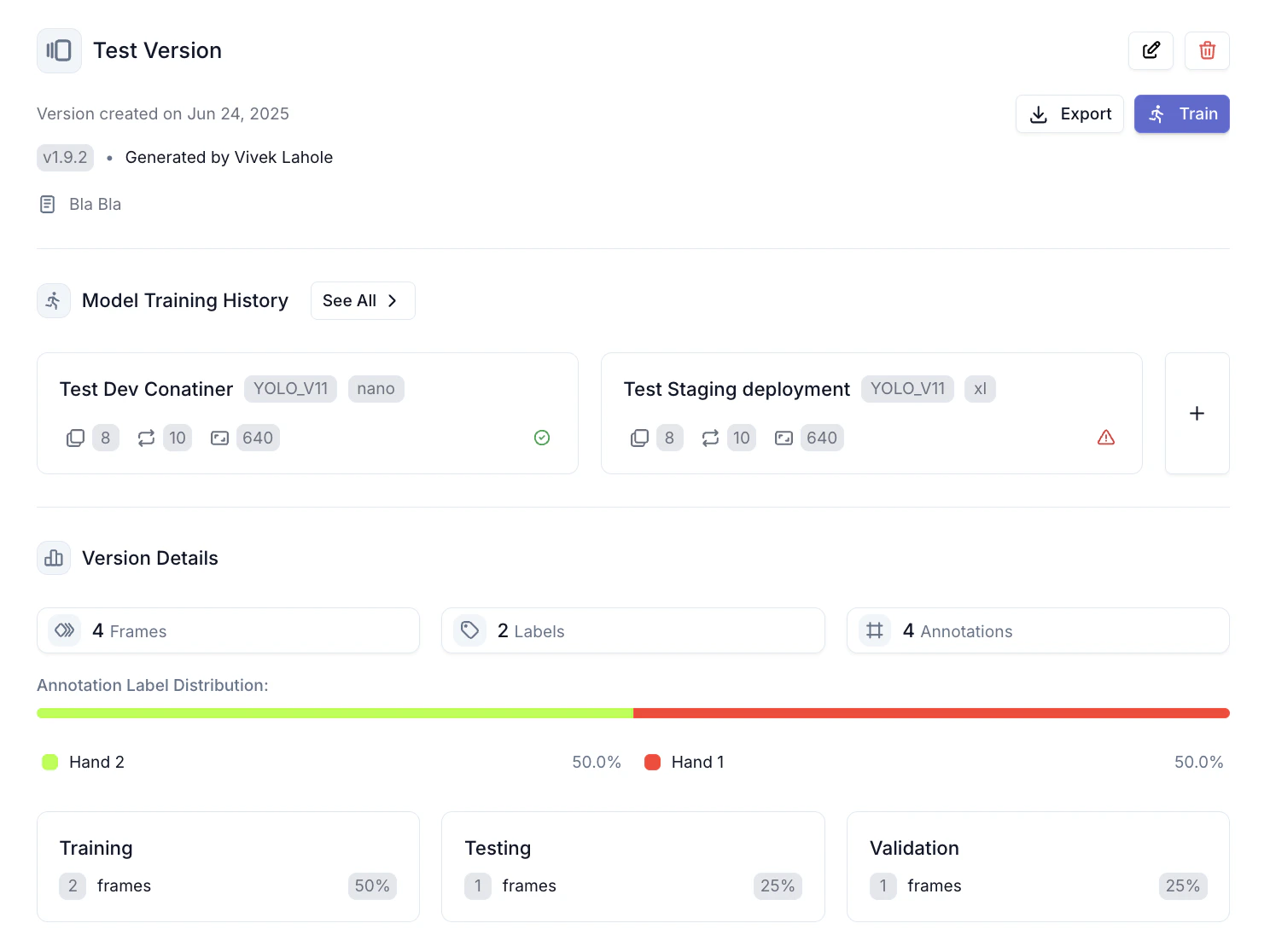
Versions provide snapshots of your dataset with comprehensive analytics and insights. This guide explains how to create and analyze versions.
## 1. Version Overview
Each version overview shows:
* Version number and creator
* Frame count
* Number of labels used
* Train/test/validation split breakdown.
 ## 2. Analytics Section
Explore detailed distribution analytics, including an interactive graph showing annotation breakdown by split and by label.
## 2. Analytics Section
Explore detailed distribution analytics, including an interactive graph showing annotation breakdown by split and by label.
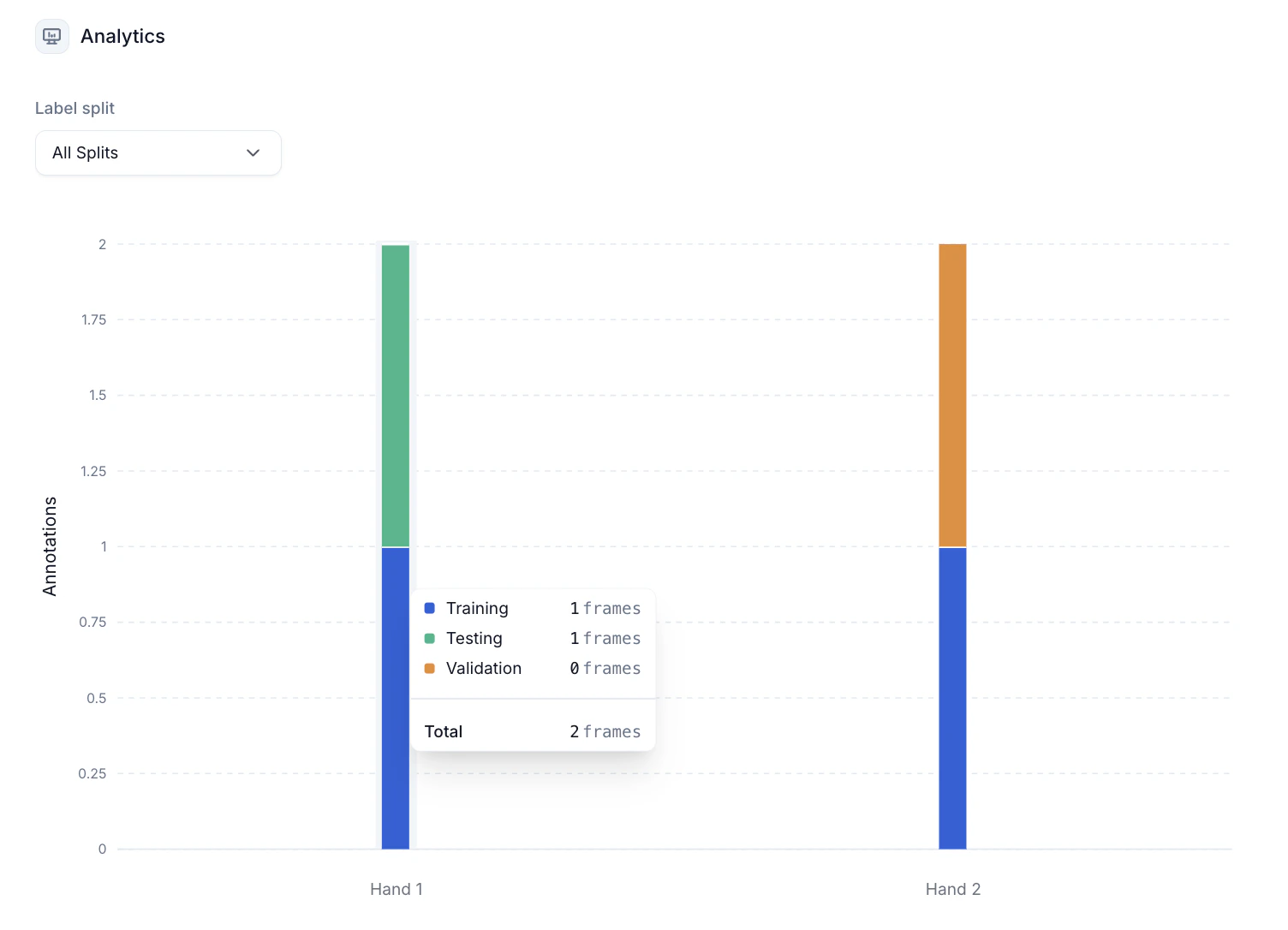 Use these insights to identify dataset imbalances or gaps.
## 3. Preview Frames
Access this page by clicking on "View all frames" or any of the dataset split cards
***
Ready to use your version? Head to [Exports](/annotation/datasets/exports) to download or to [Models](/build-ai/quickstart) to use it for model training.
Use these insights to identify dataset imbalances or gaps.
## 3. Preview Frames
Access this page by clicking on "View all frames" or any of the dataset split cards
***
Ready to use your version? Head to [Exports](/annotation/datasets/exports) to download or to [Models](/build-ai/quickstart) to use it for model training.