> ## Documentation Index
> Fetch the complete documentation index at: https://docs.useocular.com/llms.txt
> Use this file to discover all available pages before exploring further.
# Exports
> Export a version
# 📦 Exporting Dataset Versions
Learn how to export your dataset versions for local use or integration with external tools.
## 1. Create Export
Navigate to a version that you would like to export and click "Export" in the top right corner. You will see the following popup to create an export. Note that nothing will be downloaded
yet until you choose between a zip file or a code spinnet in the next step.
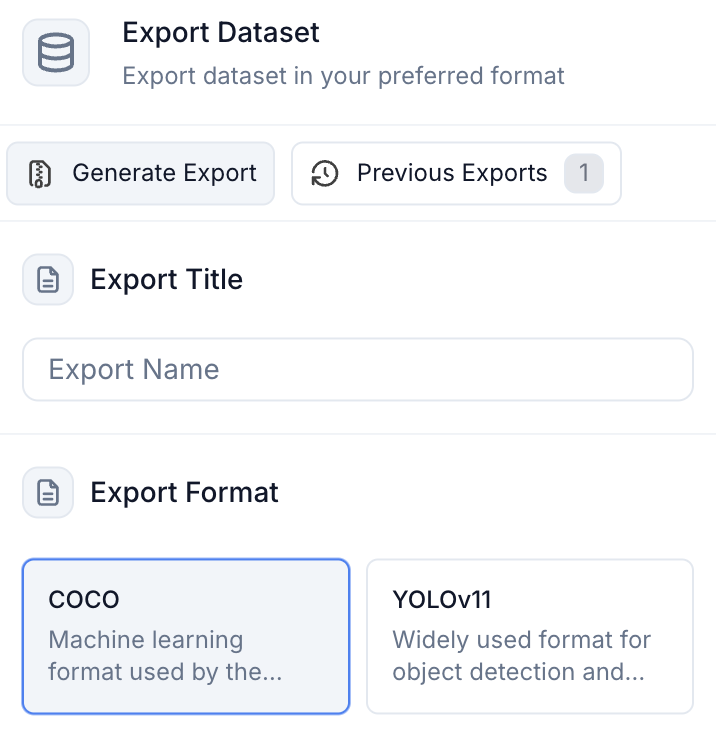 Once an export is created, it shows up in the "previous exports" tab and you can access or redownload it at any time.
## 2. Choose Export Method
First, choose how you want to export your data:
Once an export is created, it shows up in the "previous exports" tab and you can access or redownload it at any time.
## 2. Choose Export Method
First, choose how you want to export your data:
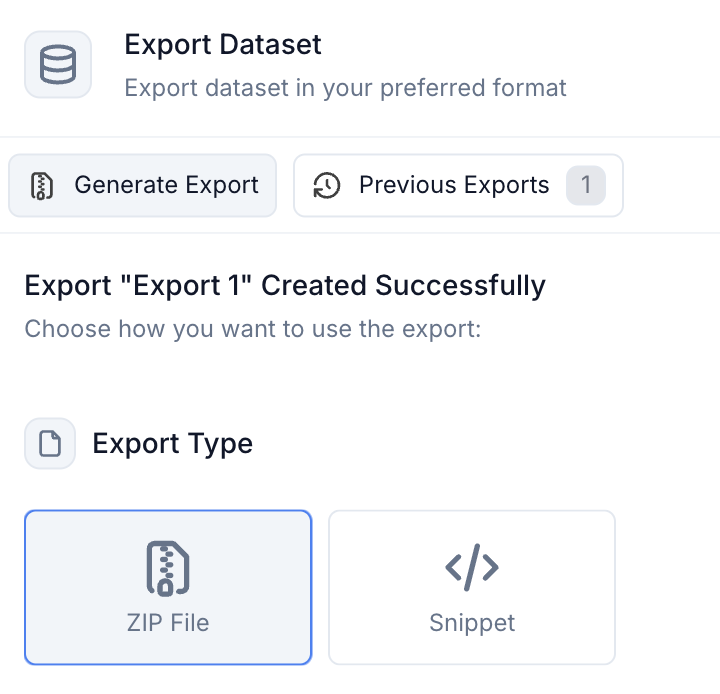 ### Option A: ZIP Archive Export
If you choose ZIP archive, you can select from these formats:
| Format | Best For | Contents |
| --------------- | ------------------------------- | --------------------------- |
| **YOLO Format** | Direct model training | Normalized annotations |
| **COCO JSON** | Industry standard compatibility | Full metadata + annotations |
### Option B: Code Snippet
We have CLI, CURL, and URL snippets available.
### Option A: ZIP Archive Export
If you choose ZIP archive, you can select from these formats:
| Format | Best For | Contents |
| --------------- | ------------------------------- | --------------------------- |
| **YOLO Format** | Direct model training | Normalized annotations |
| **COCO JSON** | Industry standard compatibility | Full metadata + annotations |
### Option B: Code Snippet
We have CLI, CURL, and URL snippets available.
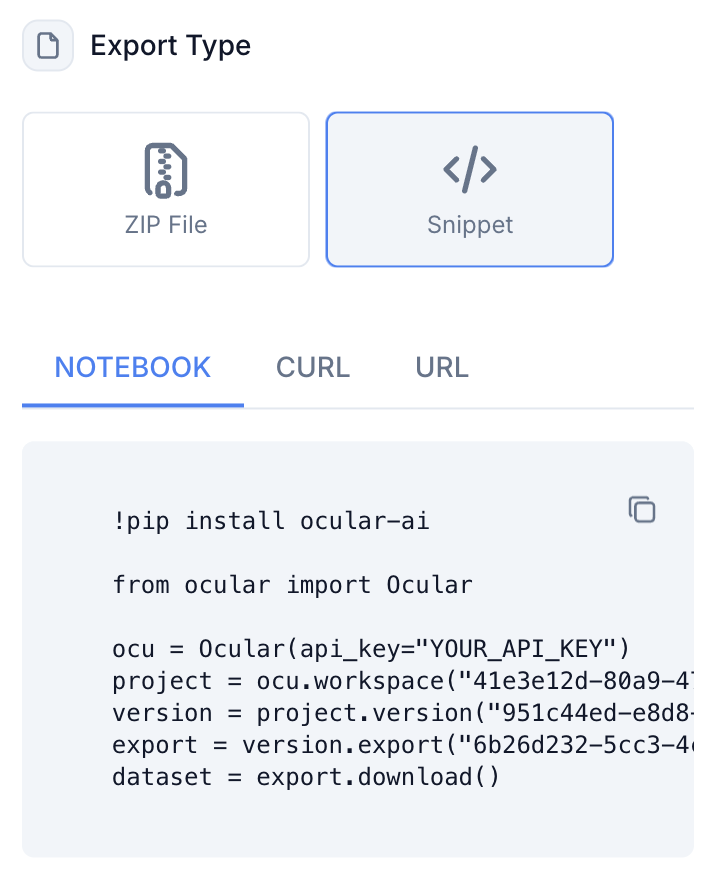 You can also use our [SDK](/api-sdk/ocular-sdk/exports) to download and process data.