> ## Documentation Index
> Fetch the complete documentation index at: https://docs.useocular.com/llms.txt
> Use this file to discover all available pages before exploring further.
# Dataset Splits
> Split datasets into training, testing, and validation sets
# 🔄 Managing Dataset Splits
This guide explains how to manage train/test/validation splits in your datasets at different stages of your workflow.
## 1. Split Adjustment at *Job → Dataset* Transfer
When adding frames from a completed job to the dataset, you can configure how the new frames will be distributed:
| Split Type | Purpose | Recommended % |
| -------------- | -------------------------------- | ------------- |
| **Training** | Used to teach the model patterns | 70-80% |
| **Testing** | Final model evaluation | 10-15% |
| **Validation** | In-progress performance checks | 10-15% |
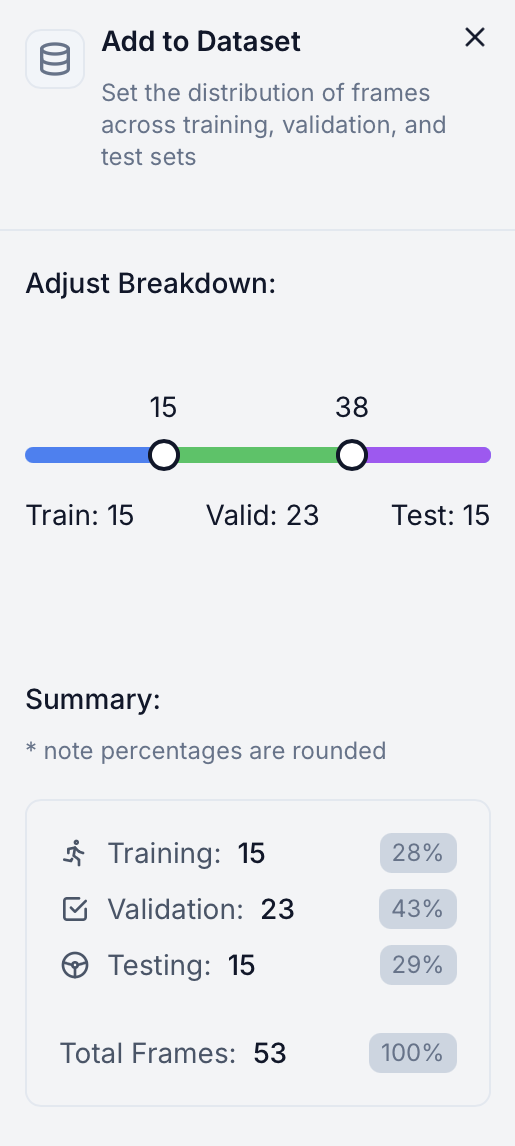 Use the percentage sliders to adjust splits. A second popup will appear for confirmation before adding to dataset.
## 2. Dataset Page Split Management
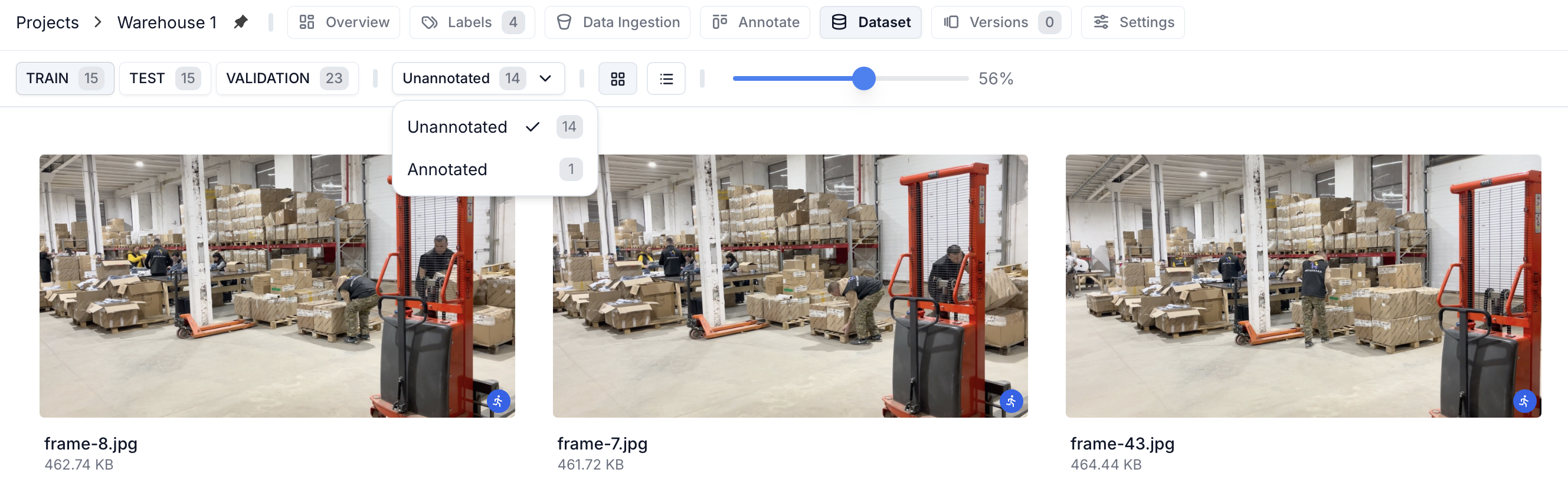
View and manage your dataset splits directly in the dataset page header:
 ### Split View
Filter and view frames based on their assigned split (Training/Testing/Validation). You can also filter by annotated/unannotated frames within each split.
### Split Reassignment
Select one or more frames and the "Reassign" button will appear, allowing you to move frames between splits as needed. This gives you fine-grained control over your dataset organization.
### Split View
Filter and view frames based on their assigned split (Training/Testing/Validation). You can also filter by annotated/unannotated frames within each split.
### Split Reassignment
Select one or more frames and the "Reassign" button will appear, allowing you to move frames between splits as needed. This gives you fine-grained control over your dataset organization.
## 3. Version-specific Splits
When creating a new version, you can define a new split ratio for the version using the slider in the create version panel:
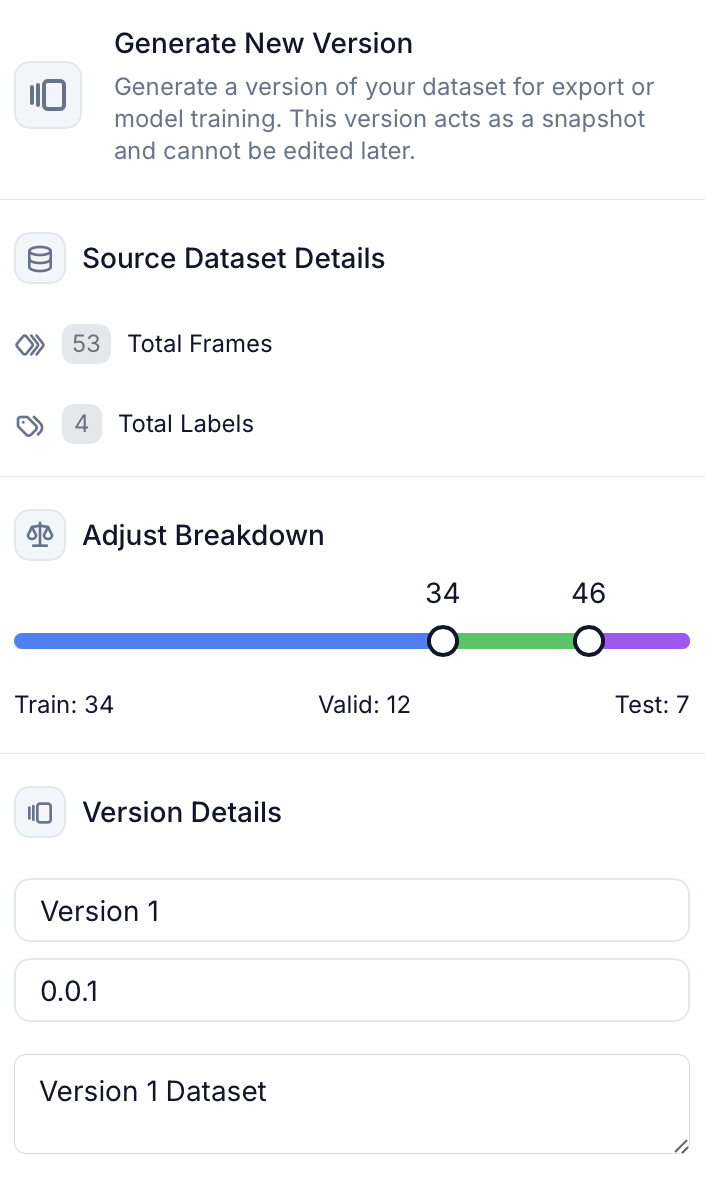 The current dataset splits will be the default value if you do not adjust this slider.
Split changes for versions don't affect the main dataset's split breakdown.
The current dataset splits will be the default value if you do not adjust this slider.
Split changes for versions don't affect the main dataset's split breakdown.